What Perch replaces
- The parent app
- Consent forms
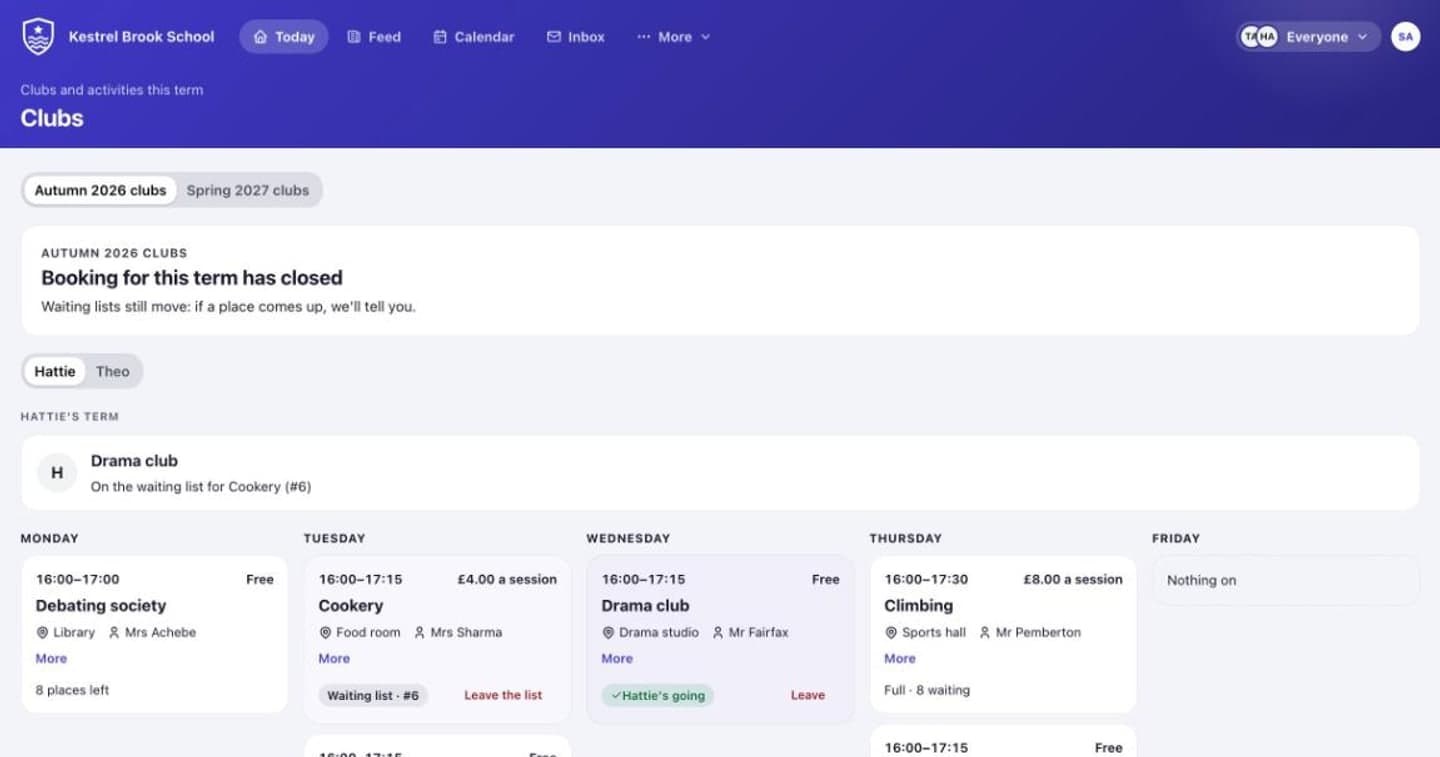
- Club booking
- Bus passes
- Fees and bank matching
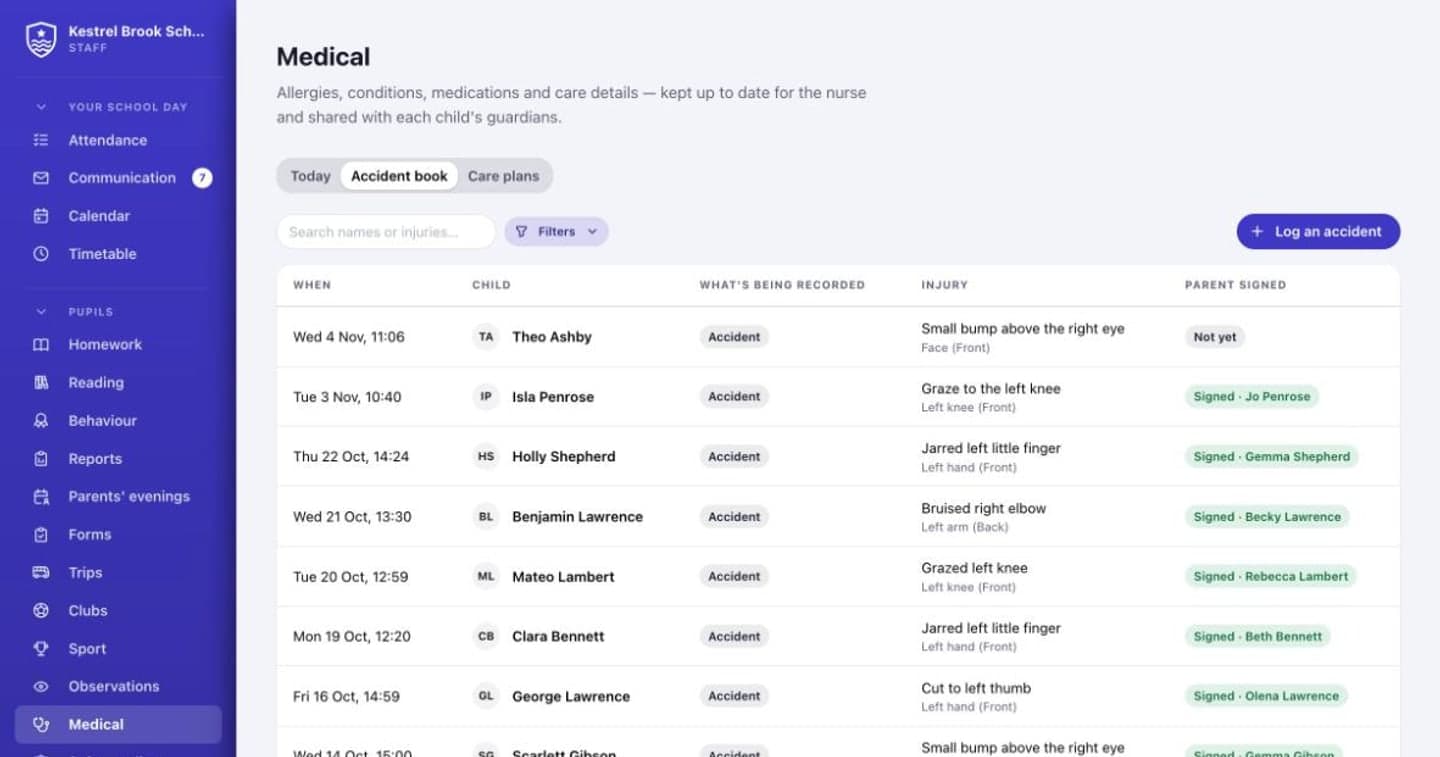
- The accident book
- The safeguarding log
- Parents' evening booking
- Reports
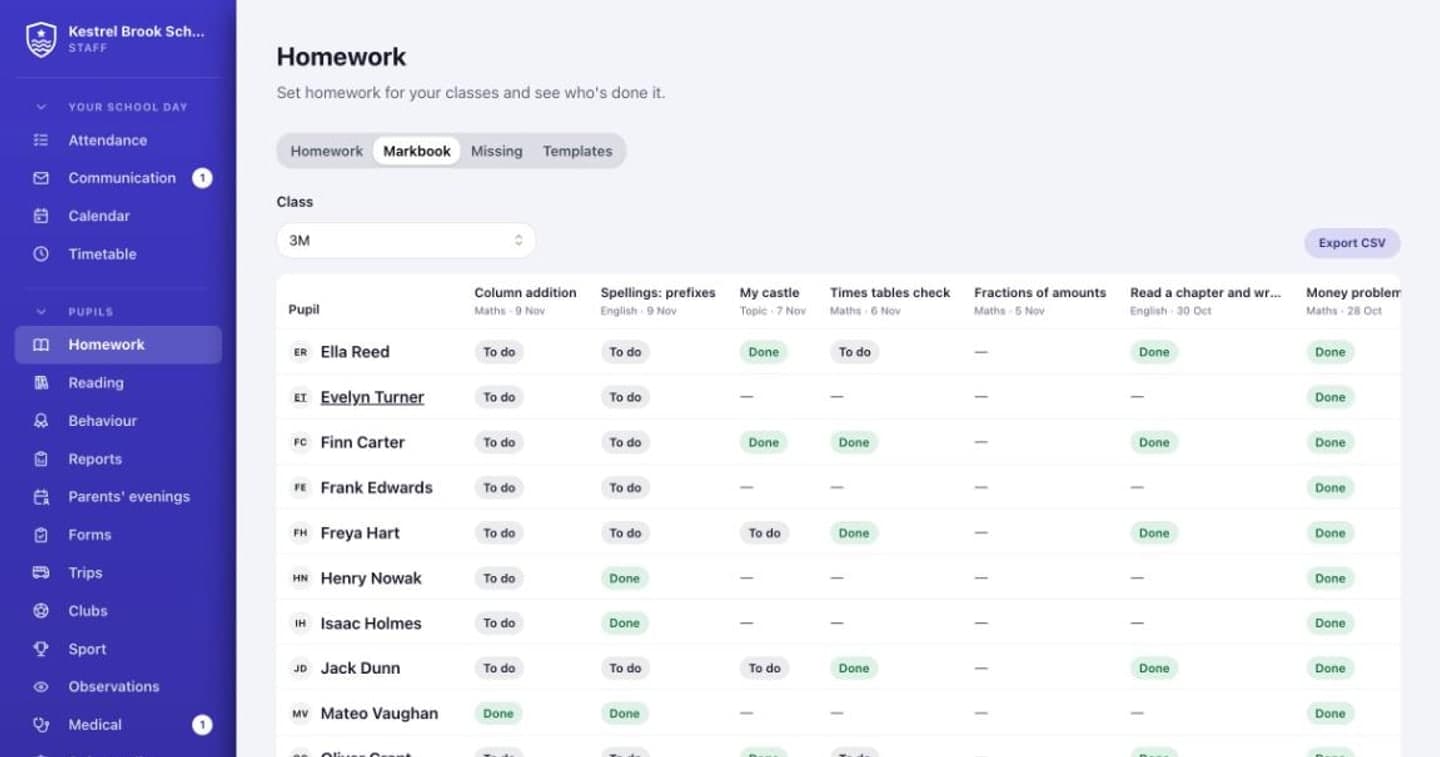
- Homework
- The visitor book
For families
Everything they need to do, first
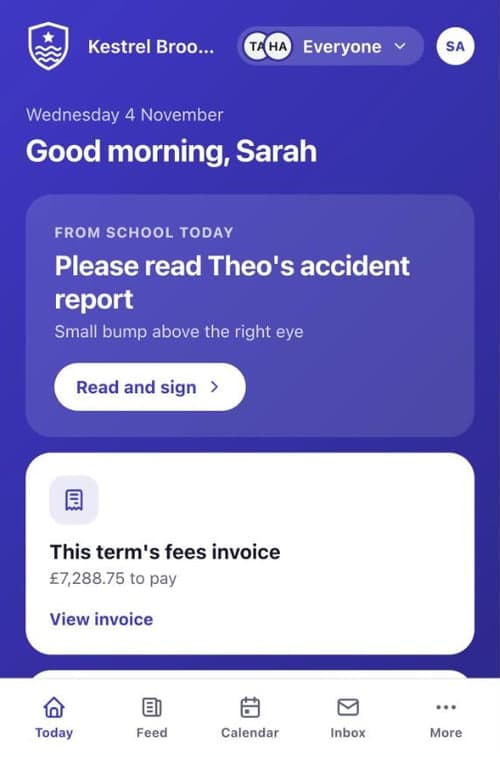
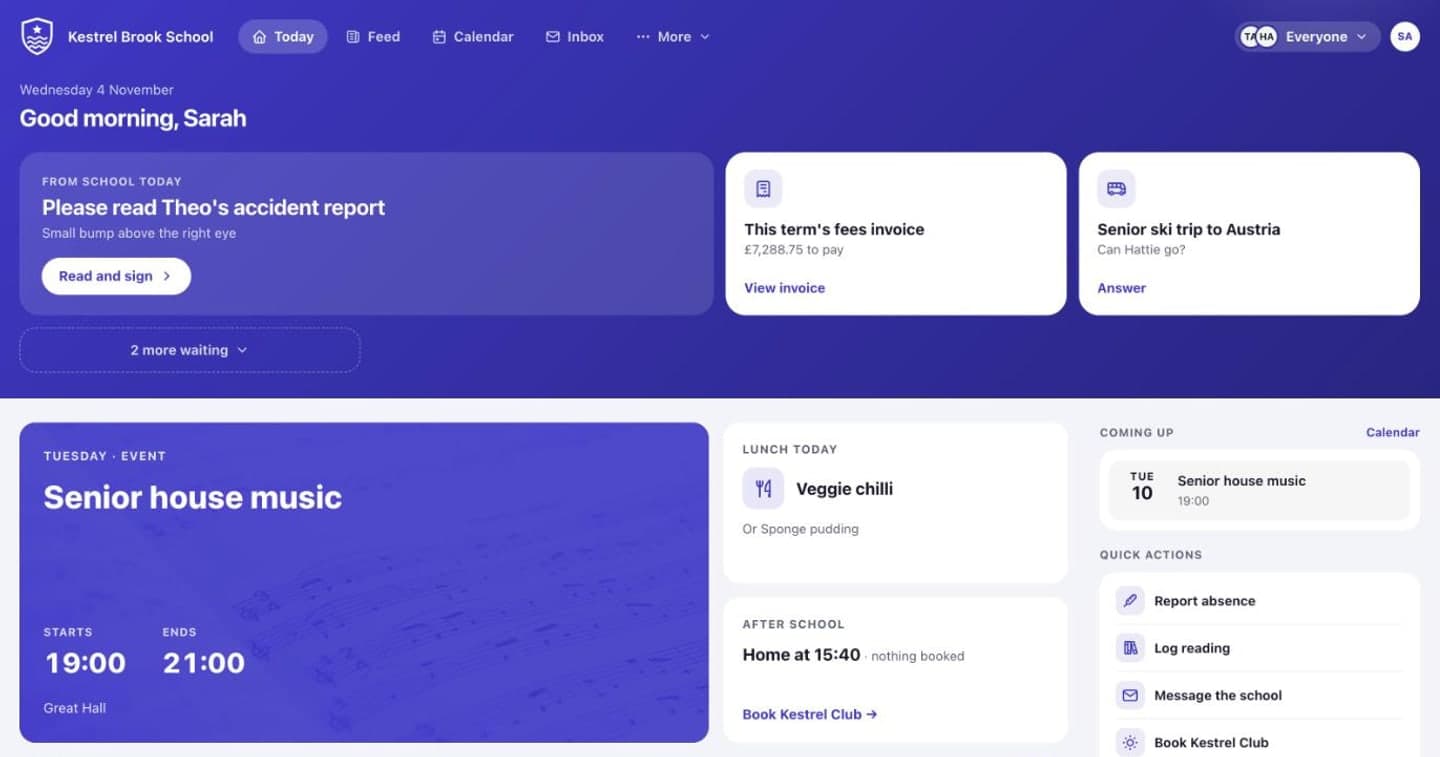
Families open Perch and see what needs them today: a form to sign, a club to book, homework due. Then their child's day, lunch, after school and what's coming up.
- One login for every child, even at different schools
- In English, Polish, Romanian, Spanish, Ukrainian or Chinese
- Separated families each see what's theirs
For the office and the bursar
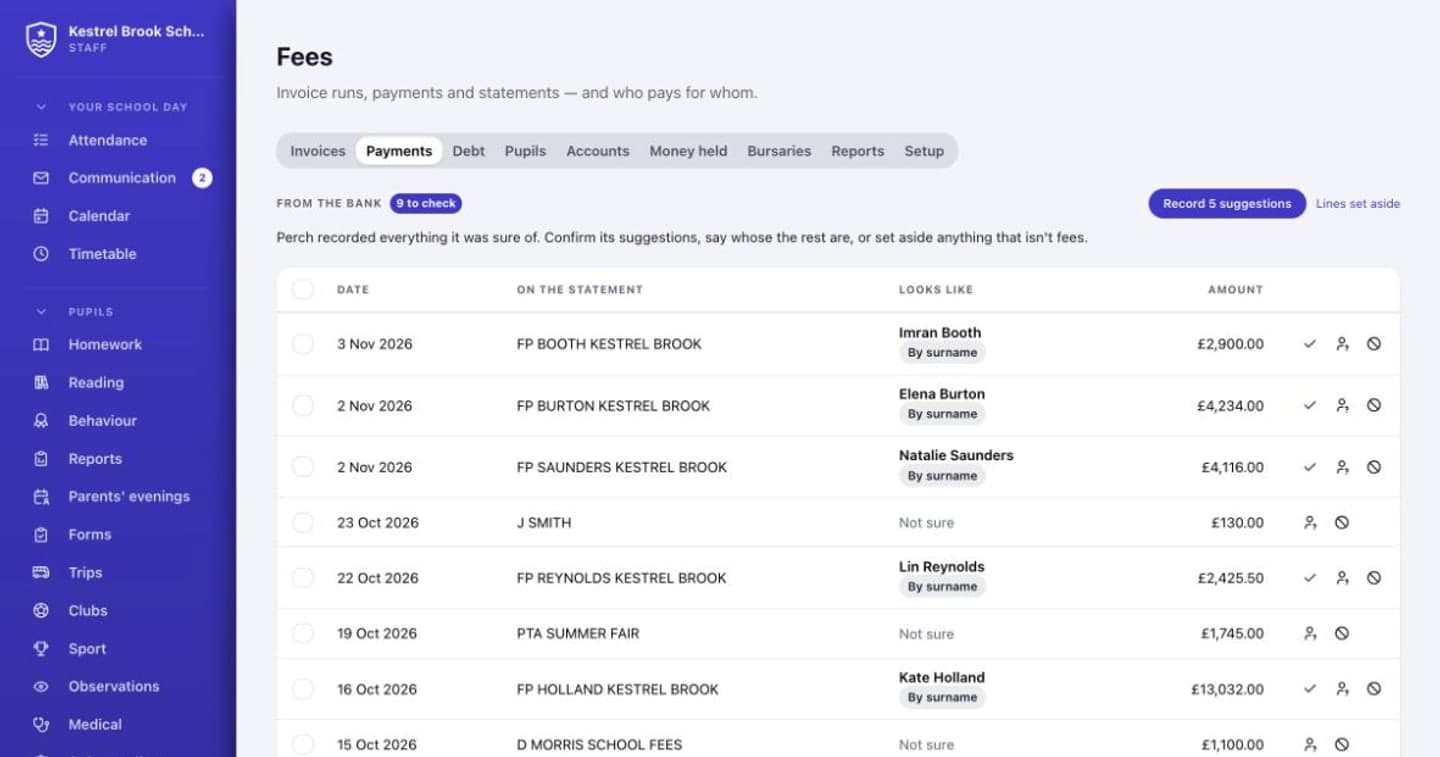
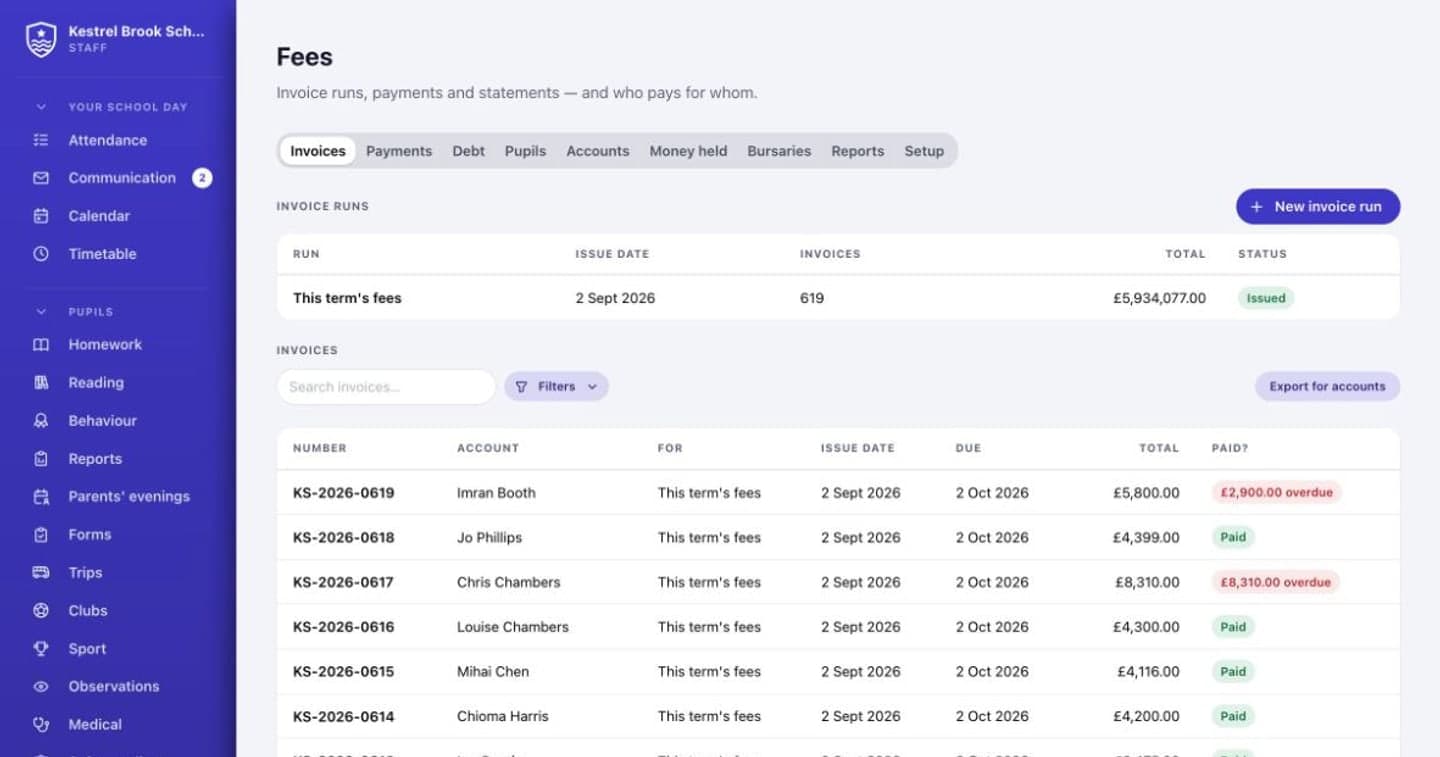
The bank statement, matched for you
Drop in the bank statement. Perch records every payment it's sure of and suggests the rest, so the bursar ticks rather than types. Reminders, statements and payment plans run themselves.
- Invoices, credit notes and sibling discounts
- Fees in advance, deposits and bursaries
- Clubs, buses and wraparound billed automatically
For teachers
Less admin, nothing typed twice
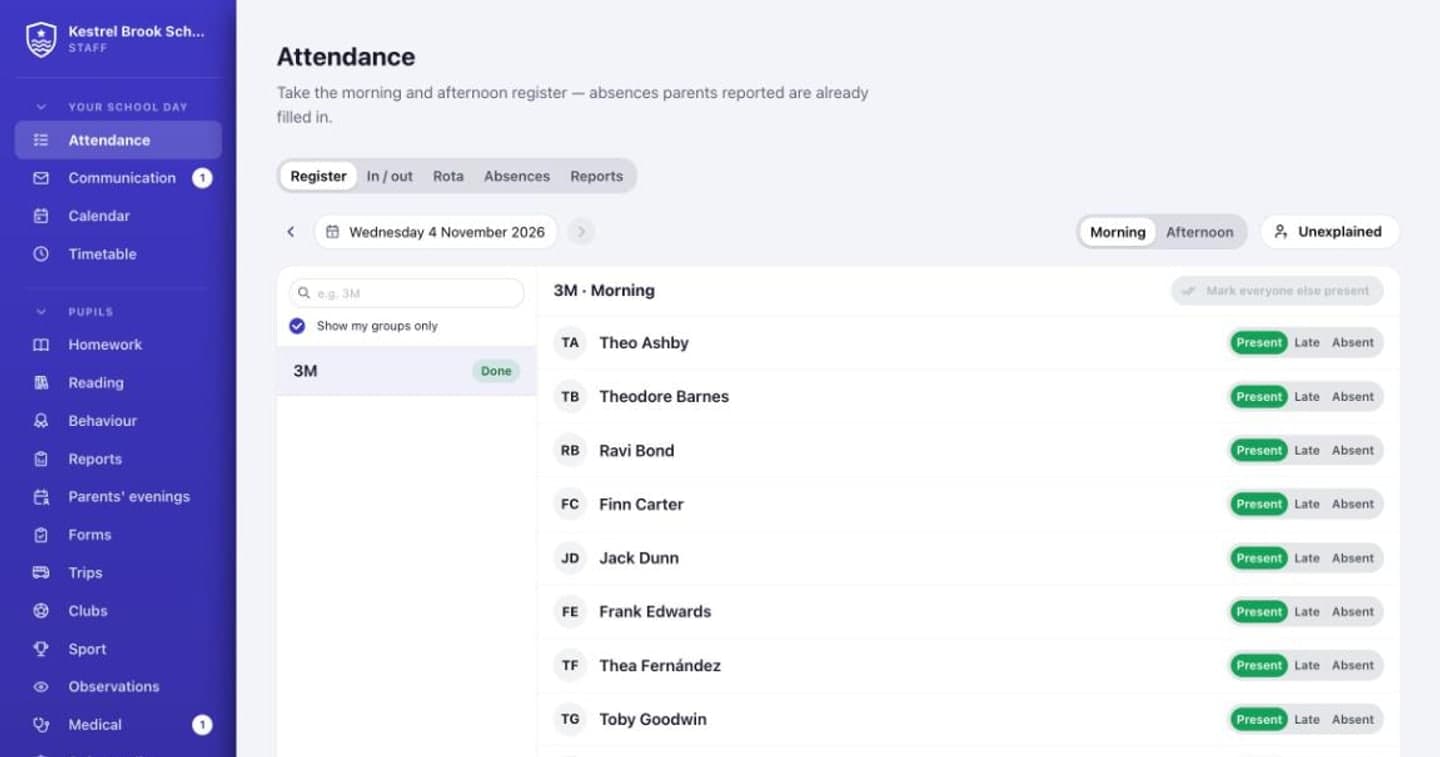
Registers take a tap per child, with absences parents reported already filled in. Homework, marking, reports and parents' evenings all work from the same classes.
- Registers and lesson registers
- Homework, quizzes and a markbook
- Reports with grades and comments
For heads and governors
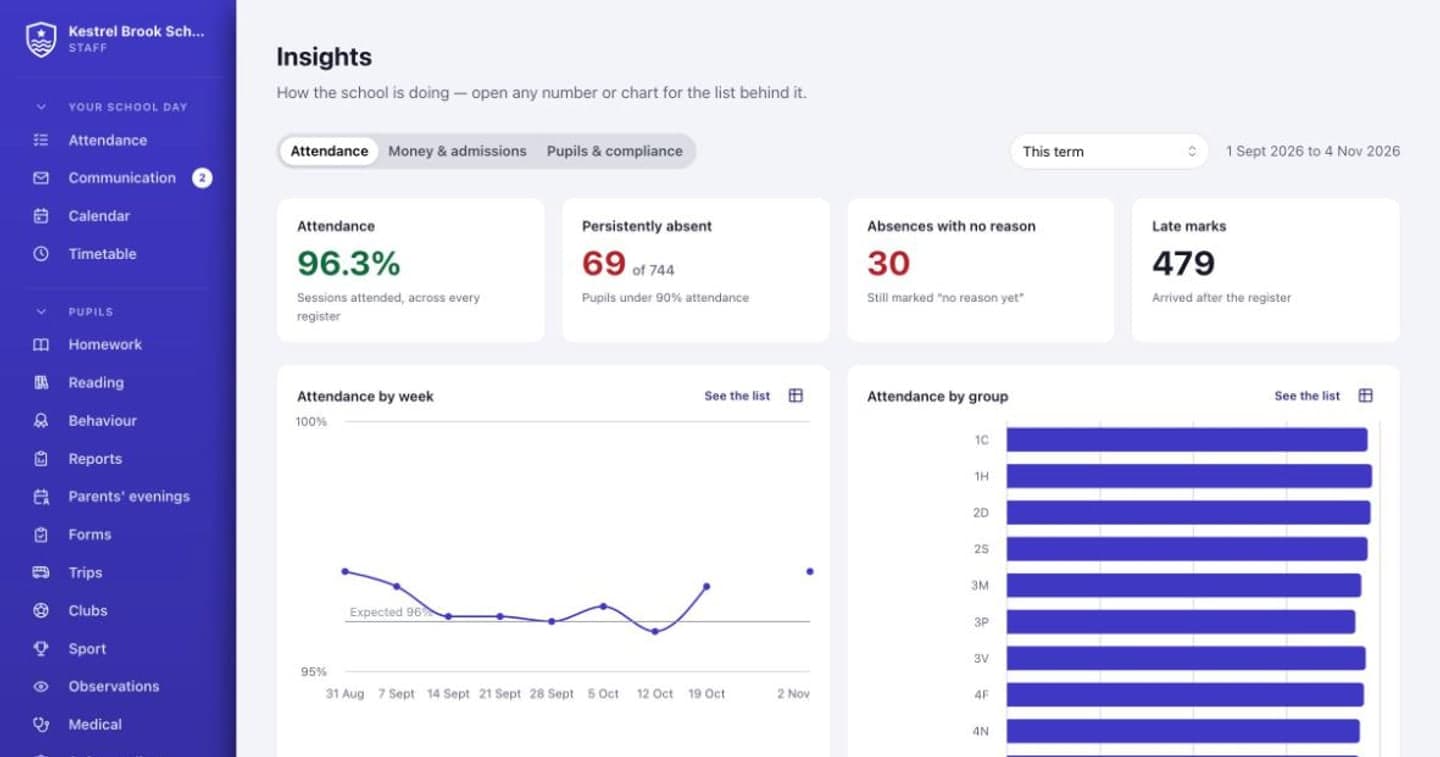
How the school is doing, at a glance
Attendance, families, money and pupils on one page, for the people allowed to see them. Every number opens the list behind it.
- Persistent absence and unexplained marks
- Fees owed and how old the debt is
- Single central record gaps before an inspector finds them
And everything else a school runs on
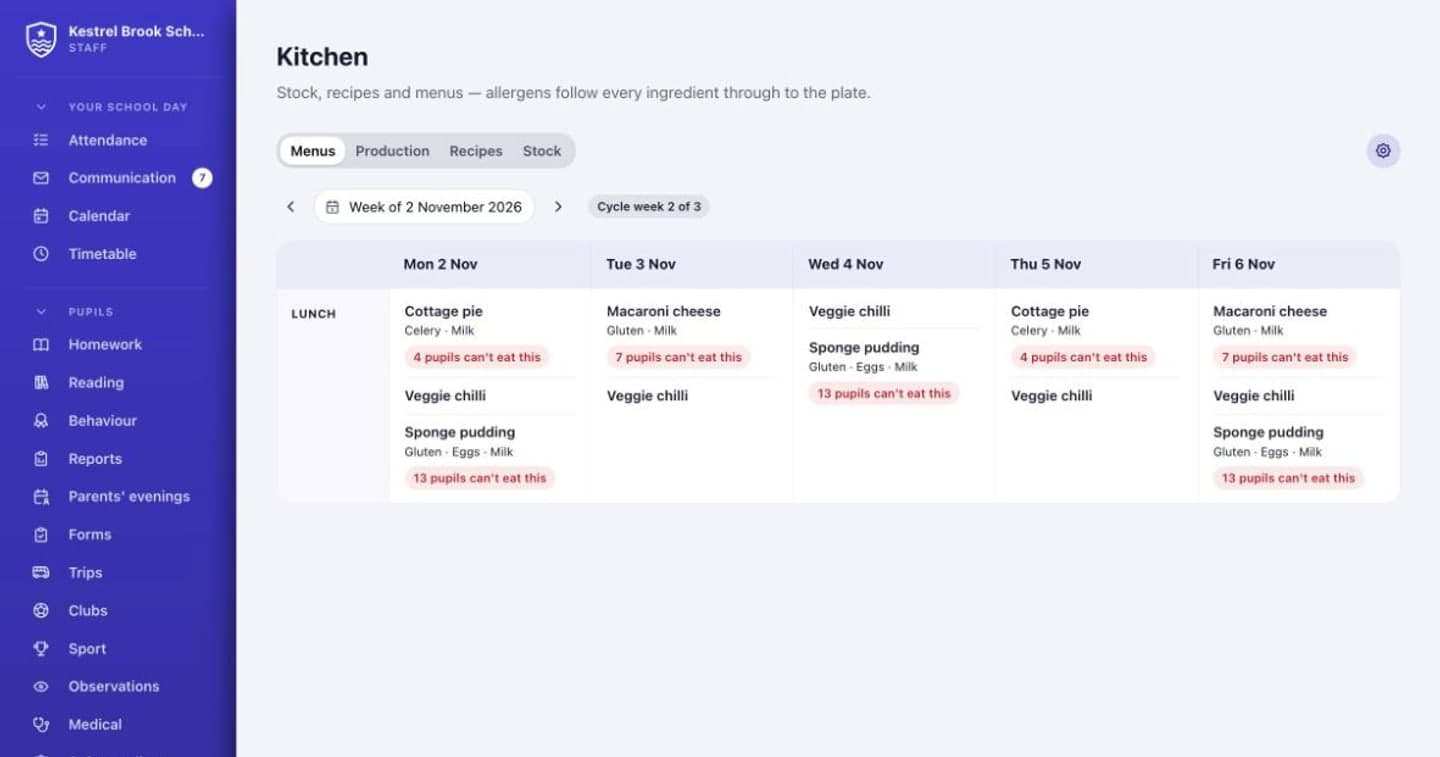
Medical, safeguarding, the kitchen, buses, boarding, lettings and more. Each part is switched on when your school needs it.
- Today for parentsWhat needs them first, then their child's day
- MessagesOne shared school inbox, never private chats between staff and pupils
- Announcements and newslettersBuilt in Perch, and you can see who's read them
- Forms and consentIncluding the yearly medical re-sign
- Evening remindersKit, clubs and what's on tomorrow, one email a night
- Texts when it can't waitA child not in school, please collect, a missed bus
- Six languages for familiesPolish, Romanian, Spanish, Ukrainian and Chinese too
Why schools will choose Perch
One record per child
Families, staff and pupils all work from the same record, so nobody keeps a spreadsheet on the side.
Safeguarding built in
A proper concerns log for the DSL team, staff who only see the children they teach, and every action logged.
Live, everywhere
A change made by one person shows up for everyone at once. Nobody needs to refresh.
Works with your MIS
Perch can bring in pupils, families, staff and the timetable from the system you already use.
Your school, your way
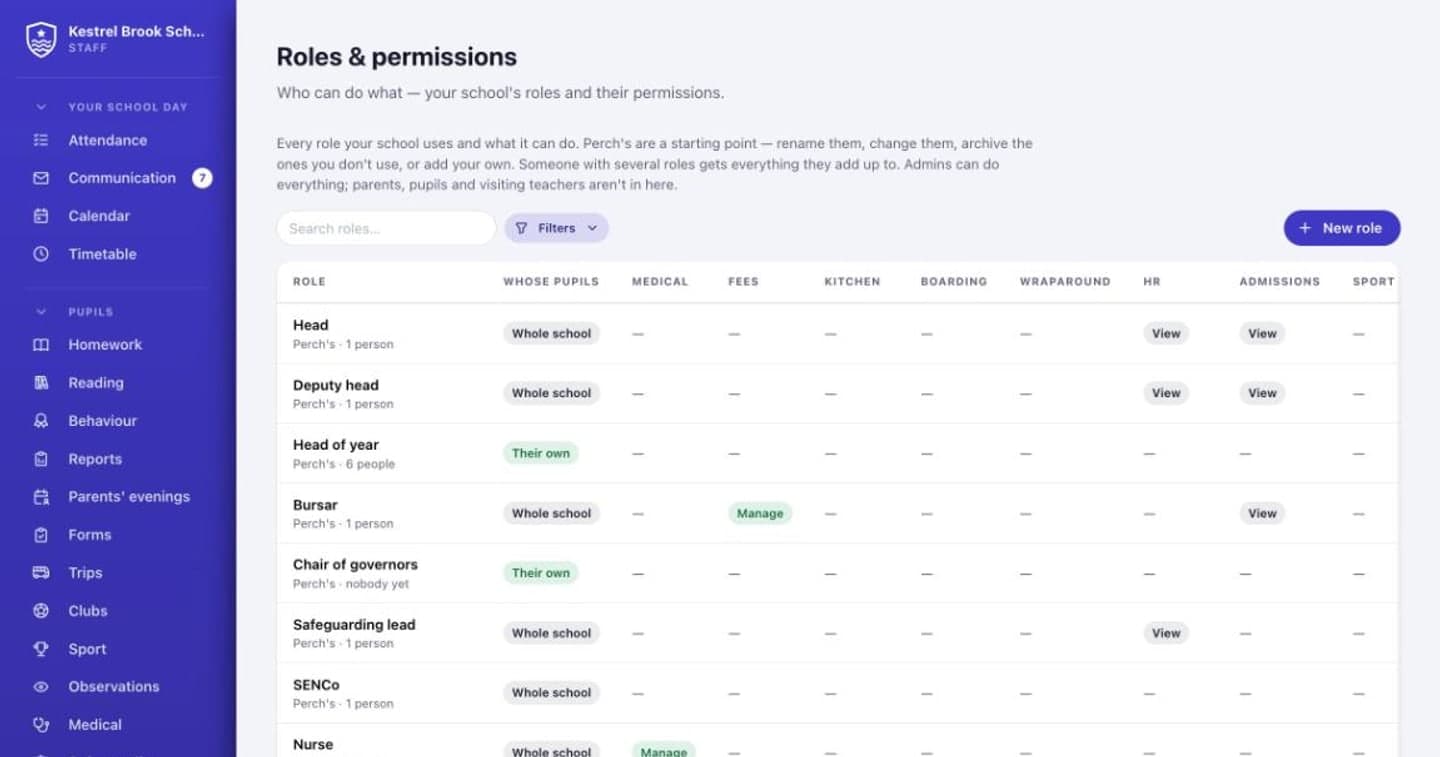
Your colours and crest, your roles and permissions, your rules for clubs, fees and behaviour.
Priced per pupil
One price per pupil per year, less than the apps it replaces cost together.
Questions schools ask
Who is Perch for?
Nurseries, prep schools, senior schools and all-through schools, independent and state. One Perch can run a whole school, from the preschool to the sixth form.
How is our data looked after?
Perch is built for UK GDPR. The school is the controller and Perch the processor. Each school's data is kept apart inside the database itself, staff only reach the children they need to, and there are built-in tools for subject access requests, erasure and retention.
Does it work with our MIS?
Perch connects through Wonde, which covers most UK systems, including SIMS, Arbor, iSAMS, Bromcom and Engage.
Can we try it?
Yes. There's a made-up school you can explore as a parent, a teacher, the head, the office or a pupil. Leave your email and mention your school, and we'll send you the way in.
What does it cost?
A price per pupil per year, set below what schools pay for the apps Perch replaces. Leave your email and we'll send you the price for your school.
Be first to hear
News about Perch, now and then. No spam, and you can unsubscribe any time.